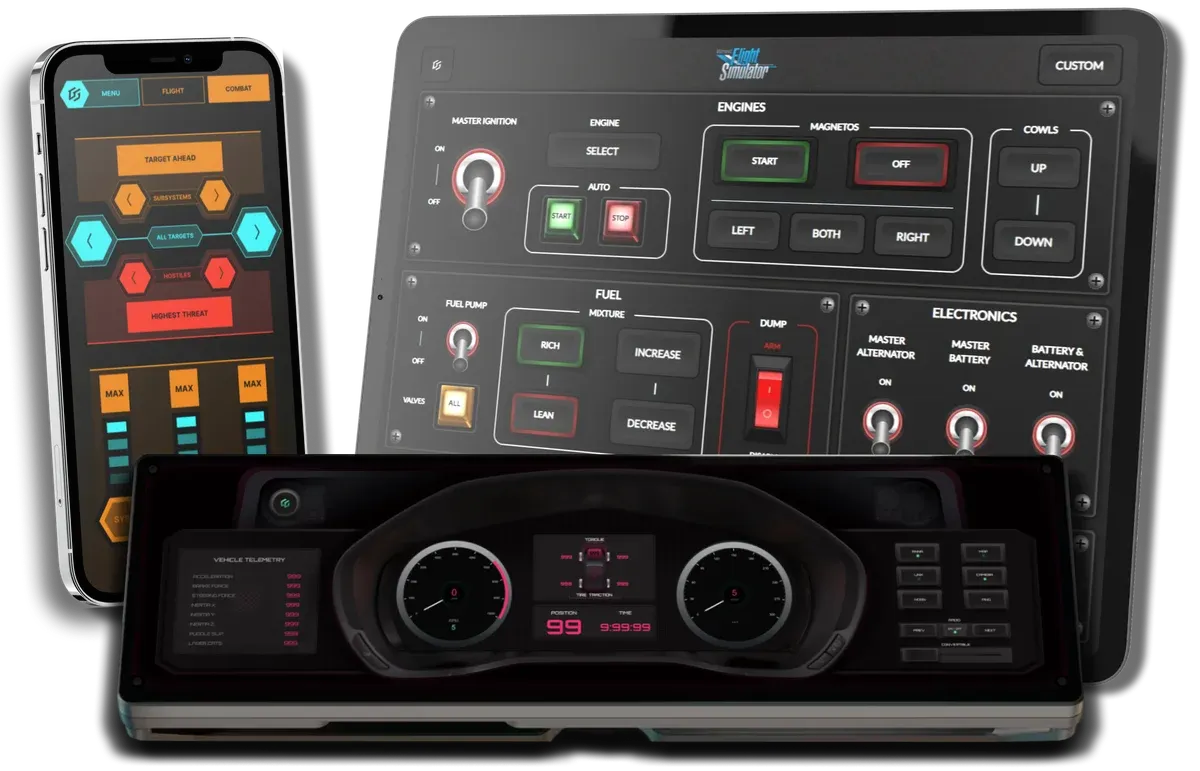
Phone, tablet, and more
Use your phone or tablet as a touch-screen control panel. Add customizable control panels to your Xeneon.
New and better ways to play your games. Every feature is designed to boost immersion and make gameplay more intuitive.
Everything you need to transform your phone or tablet into a control panel for your games.
Use your phone or tablet as a touch-screen control panel. Add customizable control panels to your Xeneon.
Browse hundreds of touch-screen controls. Add them to your panel collection with 1 click.
Make your game controls easier to use. No more forgetting how to play.
Your panels sync to your devices automatically. Connect them to your games with a tap.
More than a boring grid of buttons. Play with a huge range of immersive controls.
Toggles and switches give you more intuitive ways to interact with your games.
Use intuitive touch motions to control games.
Show helpful content next to controls. Stop alt tabbing to look at maps and wikis.
Design and build customized control panels for any game, with a huge variety of immersive and intuitive components.
Design and build control panels for any game, using immersive and intuitive components. No coding needed.
Huge range of components in a variety of styles allow you to customize your panels for any game.
Make your panels look awesome, with animated parts, detailed panels, and decorations.
Create custom designed gauges and dials, hook them up to live game data.
Configure your controls with a huge range of actions, combine them into powerful macros.
Want to know what new features we're working on?
Everything else that makes GameGlass better to play with, from overlays and telemetry to sharing panels with friends.
Trigger any game control that uses keybinds, mouse clicks, or axis movements.
Interact with game systems that use joystick or throttle axis.
Assign mouse clicks or move your pointer to a specific location set using a screen overlay.
Hear the pings, bloops, and beeps of your controls.
Use the iQUE widget to load control panels on the Xeneon Edge, including Xeneon-specific layouts.
Gamepad, joystick, throttle, steering wheel, and more are ready to use as digital game controllers.
GameGlass connects via your local wifi. No server traffic means low latency and safe gaming.
Send your panels to friends. They can add them to their collection with a simple code.
Assign this action to a button on your panels and never hunt for the screenshot keybind again.
Display data from your PC hardware on your panels, including temps, GPU load, fan speeds, and more.
Share your panels with the community so everyone can use or remix them.
Install GameGlass Hub on Windows, Mac or Linux. Use panels on iOS and Android devices.
Dynamically show or hide components, reconfiguring your panels with just a tap.
New games and data sources, added over time.
Use panels on a second monitor plugged into your PC, or overlay them onto your games.
Edit and customize panels created by the community to suit your specific needs.
Add complex, pre-grouped components with specific interactions and designs.
Change the style and look of a component without affecting its actions or location.
Don’t see your question answered?
Ask us. A real live human being will respond. Maybe even our CTO…
Any game that uses keybinds, mouse, joystick or throttle axis inputs (including steering wheels, etc). You can also use GameGlass to easily display content like maps and lists on your phone so you don’t have to alt tab.
From the Amazon Fire tablet to the XENEON, we support the vast majority of iOS and Android devices, as well as any touchscreen device running Windows, Linux or macOS. You can always open an overlay from the Hub and drag it onto your touchscreen monitor.
Yes. There is a free Basic tier, see Pricing for the details of what’s included. We also give every new user a free 14 days of GameGlass PRO. If you choose not to subscribe to PRO after your 14 day trial you’ll automatically be moved to the free Basic tier.
Take a look at our support page, there are articles for many common questions and issues. From there you can also chat with an actual human from our team.